Table of Contents
Your living room bookshelf isn’t going to assemble itself, and that loose deck board won’t magically tighten before your next barbecue. In 2026, cordless drills have evolved from simple power tools into sophisticated home repair companions, packing professional-grade performance into packages that won’t intimidate weekend warriors. Whether you’re hanging curtain rods, building a raised garden bed, or finally tackling that kitchen backsplash, the right drill transforms frustrating manual labor into satisfying, efficient work.
But here’s the challenge: manufacturers now flood the market with impressive-sounding specs, smart features, and battery platforms that can lock you into ecosystems for years. Voltage numbers that seem to defy physics, torque ratings that read like lottery tickets, and app connectivity that promises to revolutionize how you drive a screw—it’s enough to make anyone’s head spin. This guide cuts through the marketing noise, focusing on what actually matters for home repairs in 2026, so you can invest wisely in a tool that’ll serve you for decades.
Top 10 Cordless Drills For Home Repairs
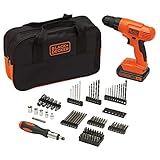


Detailed Product Reviews
Understanding Cordless Drill Fundamentals
The Evolution from Ni-Cd to Li-Ion Power
Remember the drills your parents wrestled with? Those nickel-cadmium behemoths took hours to charge, lost power sitting on the shelf, and weighed enough to double as free weights. Today’s lithium-ion batteries have fundamentally changed the game. In 2026, we’re seeing the maturation of Li-Ion technology with improved cell chemistry that delivers consistent power output from the first screw to the last. Modern batteries maintain their charge for months, charge in under an hour, and have virtually no memory effect—the dreaded capacity loss that plagued older generations. For homeowners, this means grabbing your drill from the garage after three months and having it perform like you just took it off the charger.
Brushless vs. Brushed Motors: What Homeowners Need to Know
The motor is your drill’s engine, and the choice between brushed and brushless impacts everything from runtime to maintenance. Brushed motors use physical contacts (brushes) that wear down over time, creating friction, heat, and eventual failure. They’re simpler and cheaper but less efficient. Brushless motors, now standard in mid-range and premium 2026 models, use electronic controllers instead of brushes. This eliminates wear points, runs cooler, and adapts power draw to the task—sipping battery when driving small screws and gulping power only when drilling through dense material. For home repairs, brushless technology translates to 30-50% longer battery life and a tool that’ll likely outlast your mortgage.
Key Power Metrics That Actually Matter
Decoding Voltage: 12V, 18V, or 20V Max?
Voltage numbers create more confusion than clarity. Here’s the truth: 18V and 20V Max are essentially the same thing—manufacturers just measure differently. The “Max” designation refers to the peak voltage when the battery comes off the charger; it quickly settles to 18V during use. For most home repairs, 12V systems offer surprising capability in a lightweight package perfect for assembling furniture or installing cabinet hardware. The 18V/20V class provides the versatility to drill through studs, mix paint, or drive lag bolts. The key isn’t just the number—it’s whether the voltage matches your project’s demands without adding unnecessary weight.
Torque Ratings: More Than Just Numbers
Torque, measured in inch-pounds (in-lbs), represents rotational force. But that maximum torque figure on the box? It’s often achieved in a lab setting you’ll never replicate. What matters more is the torque curve—how consistently power delivers across different speeds and materials. A drill claiming 650 in-lbs that delivers smooth, controlled power beats a 900 in-lbs monster that jerks violently when it hits resistance. Look for models with electronic clutches that provide gradual engagement rather than an on/off power dump. This prevents stripped screw heads and wrist-wrenching kickback when your bit binds in wood.
RPM Ranges and Why They Impact Your Projects
Revolutions per minute determine how fast your bit spins, but variable speed control makes the difference between a clean hole and a splintered mess. Quality 2026 drills offer two speed ranges: 0-500 RPM for high-torque driving and 0-2,000 RPM for fast drilling. The trigger sensitivity matters immensely—a good drill feels like a sports car accelerator, giving you precise control from a crawl to full speed. For home repairs, this means starting slowly to prevent bit walking, then accelerating through the material without bogging down.
Battery Technology in 2026: What’s Changed?
Amp-Hour Ratings and Real-World Runtime
That “Ah” number on batteries indicates capacity, but bigger isn’t always better. A 2.0Ah battery might drive 200 screws on a charge, while a 5.0Ah battery could manage 500—but it also adds weight. For intermittent home use, multiple smaller batteries beat one giant pack. You can keep one charging while using the other, and your drill feels balanced in hand. New 2026 batteries feature improved cell architecture that maintains voltage under load longer, so your drill doesn’t slow down as the battery depletes. This “fade-free” power means consistent performance until the battery suddenly stops, rather than a gradual weakening that leaves you wondering if you can squeeze in one more hole.
Fast Charging vs. Standard Charging Systems
Modern chargers have become intelligent power managers. Fast chargers can replenish a 2.0Ah battery in 30 minutes, but they generate heat that slightly reduces long-term battery life. Standard chargers take 60-90 minutes but are gentler on cells. The sweet spot? A “smart” charger that adjusts charging speed based on battery temperature and condition. Some 2026 systems even offer USB-C charging ports on batteries themselves, letting you top off smaller packs with your phone charger in a pinch—a lifesaver when you forget to charge before a project.
Battery Platform Compatibility and Ecosystem Lock-in
Here’s where manufacturers play chess while you’re playing checkers. That drill battery might also power a circular saw, reciprocating saw, or even a shop vacuum. Before buying, look at the entire tool ecosystem. A brand offering 50+ compatible tools means your battery investment multiplies across your garage. However, platform lock-in is real—once you own three batteries and five tools, switching brands becomes expensive. In 2026, some manufacturers are adopting standardized battery formats, but most still protect their walled gardens. Choose a platform that offers not just what you need today, but the tools you’ll want in three years.
Ergonomics and User Comfort Features
Weight Distribution and Grip Design
A drill’s spec sheet weight rarely matches how heavy it feels in use. The center of gravity determines fatigue—models with batteries positioned directly under the grip feel balanced, while those with rear-weighted designs strain your wrist. Grip texture matters too; rubber overmolds should feel secure even with sweaty hands, but not so soft they absorb vibration and reduce control. In 2026, manufacturers are using computational design to optimize weight distribution, creating drills that feel lighter than they actually are. Always test-grip a drill if possible, paying attention to how your wrist angles during overhead work.
LED Work Lights and Belt Hooks: Small Details, Big Impact
That tiny LED above the chuck isn’t just a gimmick—it illuminates your work area without casting shadows from the bit itself. The best 2026 models feature lights that stay on for 10-20 seconds after releasing the trigger, letting you inspect your work without fumbling for a flashlight. Belt hooks might seem trivial until you’re on a ladder needing both hands free. Look for ambidextrous hooks that mount on either side, and consider their position—hooks placed too far forward make the drill swing awkwardly when walking.
Compact vs. Full-Size: Finding Your Sweet Spot
Compact drills (under 6 inches in length) navigate tight spaces like between wall studs or inside cabinets. Full-size drills offer more power and better cooling for demanding tasks. The 2026 trend is “compact power”—manufacturers are shrinking premium components to deliver full-size performance in smaller packages. For pure home repairs, a compact 18V drill often provides the best versatility, handling 90% of tasks while fitting where you need it. Keep a corded drill or larger impact driver for the rare heavy-duty job that requires maximum power.
Chuck Size and Clutch Settings Explained
3/8-Inch vs. 1/2-Inch Chucks for Home Use
Chuck size determines maximum bit shank diameter. A 3/8-inch chuck handles everything up to 1/2-inch spade bits and most hole saws—plenty for home repairs. The 1/2-inch chuck accommodates larger bits for serious drilling but adds weight and length. Unless you’re regularly drilling 3/4-inch holes for plumbing or using auger bits, the 3/8-inch chuck offers better balance and precision. Keyless chucks are now standard, but check the tightening mechanism—some require two hands while others lock with a satisfying single-handed click.
Mastering the 20+ Clutch Settings for Precision
That numbered collar near the chuck isn’t just for show; it’s your insurance against stripped screws and damaged materials. Each number represents a torque limit—when reached, the clutch disengages with a clicking sound, preventing over-driving. For drywall, setting 3-5 drives screws to the perfect depth without breaking the paper. For decking, setting 12-15 sinks screws into pressure-treated lumber without stripping. Premium 2026 drills offer 20+ settings plus a drill mode that locks the clutch. Don’t ignore this feature—it’s what separates a professional finish from a DIY disaster.
Smart Features and Connectivity
Bluetooth Tracking and Anti-Theft Technology
Losing a drill hurts, especially when you’ve invested in a battery platform. New 2026 models embed Bluetooth trackers that connect to smartphone apps, showing your tool’s last known location. Some systems allow you to “lock” the drill remotely, rendering it useless if stolen—though this requires a subscription service. For homeowners, this matters less for theft prevention and more for finding where you left it in your cluttered garage. The technology adds minimal cost and no weight, making it a worthwhile convenience feature.
Customizable Speed and Torque Profiles via Apps
App connectivity sounds like overkill until you realize you can create custom profiles for specific tasks. “Furniture Assembly” mode might limit torque to prevent cam-out on IKEA cam locks. “Deck Screws” could optimize RPM for star-drive fasteners. These profiles sync to the drill’s internal computer, adjusting performance parameters in real-time. While pros might dismiss this as gimmicky, homeowners benefit from preset optimizations that reduce the learning curve. The apps also track battery health, usage patterns, and maintenance schedules—helpful for maximizing your investment.
Durability and Build Quality Indicators
IP Ratings: Water and Dust Resistance
That IP56 rating isn’t just for job sites. The “5” means dust protection (no harmful deposits), and the “6” means water jets from any direction won’t harm the tool. For home repairs, this matters when drilling outdoors in light rain or working in dusty attics. Better seals also mean longer motor life by preventing debris infiltration. While you shouldn’t submerge your drill, IP-rated models handle real-world conditions that kill lesser tools. The rating should be printed on the tool itself—if it’s only in the marketing materials, be skeptical.
Metal vs. Plastic Gear Housings
The gearbox housing protects the most stressed components. Metal housings dissipate heat better and survive drops, but add weight. High-quality reinforced nylon or composite housings offer excellent impact resistance while keeping weight down. In 2026, premium composites often outperform cheap metal castings. Check the seams and screw holes—loose-fitting parts indicate sloppy manufacturing. A quality housing feels solid, with no creaking when you twist the drill in your hands.
Safety Features Every Homeowner Should Demand
Electronic Clutch Protection and Kickback Control
Kickback occurs when a bit binds, violently twisting the drill. Electronic protection systems detect sudden motor slowdown and instantly cut power, saving your wrist and preventing falls from ladders. This technology, borrowed from professional impact wrenches, is now standard in quality 2026 drills. The system resets automatically, so there’s no fuse to replace. For homeowners unfamiliar with drill kickback, this feature is non-negotiable—it prevents injuries that could have you explaining to the ER doctor how a “simple home project” went sideways.
Overload Protection and Thermal Management
Pushing a drill beyond its limits used to mean smoking the motor. Modern thermal sensors monitor temperature and current draw, throttling power or shutting down before damage occurs. The drill will simply stop, cool down for 10-15 minutes, then resume normal operation. This protection extends tool life dramatically. Some 2026 models even display temperature warnings via LED indicators, giving you advance notice to ease up. For intermittent home use, this means you’ll likely never encounter the limit, but it’s reassuring protection against accidental abuse.
Price Tiers and Value Proposition
Budget-Friendly Options: What You Sacrifice
Sub-$100 drills in 2026 typically use brushed motors, basic batteries, and minimal electronics. They’ll drive screws and drill holes but expect shorter runtime, less precise control, and 2-3 year lifespans with regular use. The clutches may have only 10 settings, and the chucks might develop wobble over time. For someone who uses a drill twice a year to hang pictures, this tier works. For anyone tackling multiple projects annually, the limitations become frustrating quickly. The real cost isn’t the purchase price—it’s replacing stripped screws and buying better tools later.
Mid-Range Sweet Spot for Most Homeowners
The $150-$250 range hits the sweet spot: brushless motors, 2.0Ah batteries, metal chucks, and 20+ clutch settings. These drills deliver 90% of professional performance at half the cost. You’ll get 5-7 years of reliable service with proper care. Features like LED lights, belt hooks, and decent warranties come standard. The battery platforms at this level offer extensive tool ecosystems, letting you expand without regret. This is where smart money spends, balancing performance, durability, and value.
Premium Features Worth the Investment
Spending $300+ unlocks advanced features: carbon fiber reinforced housings, active vibration dampening, and batteries that communicate exact charge status to your phone. These drills feel like extensions of your hand, with triggers so responsive they seem to anticipate your intent. For homeowners who view tools as lifetime investments, the premium pays off in reduced fatigue during marathon projects and features that prevent costly mistakes. The law of diminishing returns applies, but if you’re building a deck or renovating a basement, the precision and comfort justify the cost.
Warranty and After-Sales Support
Standard Warranty Periods and What They Cover
Most 2026 drills carry 3-year limited warranties on the tool and 2 years on batteries. “Limited” typically excludes abuse, water damage, and normal wear items like brushes (in brushed models). Read the fine print: some warranties require online registration within 30 days, while others start automatically at purchase. Premium brands offer 5-year tool warranties and 3-year battery coverage. For home use, a 3-year warranty is sufficient—if a defect exists, it’ll likely appear within the first year of regular use.
Extended Protection Plans: Are They Worth It?
Retailers push extended warranties hard, but drills are relatively simple tools. For a $150 drill, a $30 3-year extension rarely pays off. The plans often duplicate manufacturer coverage and include deductibles. However, for premium drills over $300 with complex electronics, an extension might make sense—especially if it covers accidental damage from drops or water. Calculate the total cost: a $350 drill plus a $50 plan equals $400. Would you rather put that $50 toward a second battery or roll the dice on reliability? Most homeowners should skip the upsell.
Essential Accessories and Ecosystem
Drill Bits, Driver Bits, and Bit Holders
Your drill is only as good as its bits. Invest in a quality set of twist bits (for metal and wood), spade bits (for large holes), and a comprehensive driver bit set including Phillips, Torx, and square drive. In 2026, impact-rated bits are worth the small premium—even for drill use—as they flex rather than snap. Magnetic bit holders save countless trips up ladders, and depth stops ensure consistent screw depth. Don’t cheap out here: a $5 bit set will break and damage your workpiece.
Carrying Cases vs. Tool Bags
Hard cases protect your drill during transport and keep accessories organized, but they consume garage space. Soft bags offer flexibility and extra pockets for bits and batteries. The 2026 trend is modular storage—cases that stack and connect with other tools in the ecosystem. For home use, a bag often proves more practical, easily sliding onto a shelf. Check that the case/bag fits your drill with the battery attached; some designs force you to remove the battery for storage, which is inconvenient.
Common Home Repair Applications
Furniture Assembly and Light Woodworking
Flat-pack furniture demands low torque and precision. Use clutch setting 3-5 with a fresh driver bit to avoid stripping cam locks. For pilot holes in hardwood, drill at 1,500+ RPM with sharp twist bits to prevent burning. The drill’s weight becomes crucial during hour-long assembly sessions—compact models reduce fatigue. Pro tip: create a “furniture” profile in your drill’s app that limits torque and optimizes speed for the task.
Drywall Hanging and Deck Building
These projects separate hobby tools from serious equipment. Drywall requires driving hundreds of screws to consistent depth—clutch control and a depth-setting driver bit are mandatory. Deck building demands high torque for 3-inch screws into pressure-treated lumber and the stamina to drive hundreds without battery changes. Here, a brushless 18V drill with a 4.0Ah battery proves its worth. The electronic clutch prevents screw heads from snapping off, a common frustration that ruins deck board appearances.
Masonry and Concrete Drilling
While hammer drills exist for heavy masonry, modern 18V drills with carbide-tipped masonry bits handle brick, mortar, and concrete block for anchor installations. Use the drill mode (clutch disabled), low speed (500-800 RPM), and firm pressure. Let the bit do the work—pushing too hard causes overheating and premature wear. For occasional Tapcon installations or mounting hose reels to brick, your standard drill suffices. For multiple holes in poured concrete, rent or buy a rotary hammer.
Maintenance Tips for Longevity
Battery Care Best Practices
Store batteries at 40-60% charge in cool, dry locations—extreme heat and cold degrade cells faster. Don’t leave batteries on chargers indefinitely; while modern chargers prevent overcharging, heat from trickle charging stresses cells. If you won’t use a battery for months, store it partially charged and top it off every 6 months. Clean terminals monthly with a dry cloth—corrosion interrupts power flow and confuses the tool’s computer. Never tape batteries together or modify them; the built-in protection circuits are essential for safety.
Cleaning and Storage Recommendations
After each use, blow dust from the chuck and ventilation slots with compressed air. Wipe the drill with a slightly damp cloth—never submerge it. Lubricate the chuck monthly: run it fully open and closed while spraying with dry lubricant to prevent rust and ensure smooth bit changes. Store drills hanging on a wall or in a case; tossing them in a drawer leads to damaged chucks and stripped gears. In humid climates, toss a silica gel packet in your tool bag to prevent internal corrosion.
Environmental Considerations
Recycling Old Batteries and Tools
Lithium-ion batteries contain valuable and potentially hazardous materials. Never throw them in household trash. Most hardware stores and recycling centers accept drill batteries free of charge. In 2026, several manufacturers offer mail-back programs with prepaid shipping labels. When your drill finally fails, separate plastic housings from metal components before recycling. Some brands have take-back programs that refurbish tools for vocational training programs, offering a small discount on new purchases.
Energy-Efficient Charging Practices
Charge batteries during off-peak hours to reduce grid strain and save on electricity costs. Use solar generators or portable power stations for charging during outdoor projects. Unplug chargers when not in use—while modern chargers draw minimal standby power, it adds up over years. Consider higher-capacity batteries; one 5.0Ah battery uses less energy overall than cycling three 2.0Ah batteries through repeated charges for the same work. These small choices reduce your carbon footprint without impacting performance.
Making Your Final Decision
Creating a Personal Checklist Based on Your Needs
Before browsing, list your actual projects: “Assemble furniture, hang drywall, build a deck, install curtain rods, drill into brick for anchors.” This reveals you need: 18V brushless motor, 2-speed transmission, 20+ clutch settings, compact design, and at least two batteries. Set a budget that includes essential bits and a storage solution. Prioritize features: kickback protection is non-negotiable, Bluetooth tracking is nice-to-have. This checklist prevents impulse buys based on flashy specs you’ll never use.
Where to Buy: Online vs. In-Store Experiences
Online shopping offers better prices and reviews but denies you the chance to feel the drill’s balance. Brick-and-mortar stores let you test grip and trigger sensitivity, plus offer immediate returns if defective. In 2026, many retailers price-match online competitors and offer free assembly/testing. Consider buying online after visiting a store to handle the drill. Check return policies carefully—some restocking fees apply to opened power tools. For premium purchases, authorized dealers often provide better warranty support than big-box stores.
Frequently Asked Questions
What’s the difference between a drill and an impact driver, and do I need both?
A drill provides smooth, continuous rotation with adjustable clutch settings—ideal for precise work and drilling holes. An impact driver adds concussive rotational blows, delivering brute force for driving long fasteners without stripping heads. For most home repairs, a quality drill handles 90% of tasks. Add an impact driver only if you’re building decks, installing subfloors, or driving hundreds of large screws annually.
Can I use the same battery across different brands if the voltage matches?
No. Battery interfaces are proprietary, with communication protocols that prevent cross-brand use. Third-party adapters exist but void warranties and can cause dangerous malfunctions. Standardization efforts are ongoing, but as of 2026, no major brand officially supports cross-compatibility. Choose your ecosystem wisely from the start.
How many clutch settings do I really need for home repairs?
At least 15 distinct settings. More settings provide finer torque control, crucial for preventing damage to soft materials like drywall or particle board. Premium drills offering 20+ settings give you surgical precision. Avoid models with fewer than 10 settings—they lack the granularity for delicate work.
Is brushless motor technology worth the extra cost for occasional use?
Yes, even for occasional users. Brushless motors require zero maintenance, last significantly longer, and deliver better battery efficiency. While the upfront cost is higher, you avoid replacing a brushed motor drill in 3-4 years. The improved control also reduces mistakes that ruin workpieces, saving money on materials.
Should I buy a drill kit with multiple batteries or just the tool?
Always buy a kit with at least two batteries. Running out of power mid-project is frustrating and inefficient. Two batteries ensure continuous work: one charges while you use the other. Kits also include chargers and often a carrying case, providing better value than buying components separately.
What’s the realistic lifespan of a cordless drill for home repairs?
A quality brushless drill lasts 7-10 years with proper maintenance. Batteries typically need replacement every 3-5 years depending on use and storage. Brushed motor drills last 3-5 years before motor wear becomes problematic. Your actual mileage depends on project frequency and care habits.
Can cordless drills handle concrete and masonry drilling?
Modern 18V drills can handle light masonry work—brick, mortar, and concrete block up to 1/4-inch holes—using carbide-tipped bits and drill mode. For frequent concrete drilling or holes over 3/8-inch, invest in a rotary hammer drill. Your standard drill will overheat and wear prematurely with heavy masonry use.
How important is IP rating for a home-use drill?
IP ratings (Ingress Protection) matter more than you’d think. IP56 or higher ensures dust won’t infiltrate the motor and that accidental water exposure from rain or spills won’t cause failure. For attic work, outdoor projects, or garage storage, IP-rated drills last significantly longer. It’s cheap insurance against real-world accidents.
What’s the optimal weight for a versatile home repair drill?
The sweet spot is 3.5 to 4.5 pounds with battery installed. Below 3 pounds, you sacrifice power and battery capacity. Above 5 pounds, fatigue sets in during extended use. Test the drill at full arm extension—if your wrist droops after 30 seconds, it’s too heavy for overhead work like ceiling fan installation.
Are smart features and app connectivity just gimmicks?
Mostly, but with valuable exceptions. Battery tracking and maintenance reminders provide real utility. Customizable torque profiles help novices achieve professional results. However, features like usage analytics and remote locking are solutions looking for problems in a home setting. Don’t pay a premium solely for smart features, but consider them a bonus on an otherwise excellent drill.
See Also
- Top 10 Best Cordless Drill Drivers for Home Repairs in 2026
- 10 Best Cordless Drills for Attic Repairs in Tight Spaces in 2026
- Top 10 Best Cordless Drills for Home Renovations in 2026
- 10 Best Cordless Drills for Renters Doing Minor Repairs in 2026
- Top 10 Best Drills for Home Repairs in 2026
