Table of Contents
Stepping into your first home is exhilarating—until you realize that picture frames don’t hang themselves and that IKEA furniture expects you to supply the elbow grease. Suddenly, that mysterious toolbox you received as a housewarming gift feels less like a decorative prop and more like a lifeline. At the center of every new homeowner’s arsenal sits one non-negotiable power tool: the cordless drill. It’s the gateway gadget that transforms you from someone who calls maintenance for every minor issue into a capable DIYer who handles weekend projects with confidence.
But here’s the challenge: walk into any hardware store or browse online, and you’re bombarded with technical jargon, voltage numbers that look like lottery picks, and price tags ranging from “impulse buy” to “mortgage payment.” Making sense of it all feels like learning a new language while someone times you. This guide cuts through the noise, giving you the insider knowledge contractors use—without the contractor-level complexity—so you can invest wisely in a drill that’ll serve you for years, not just until the next model drops.
Top 10 Cordless Drills For First-Time Homeowners

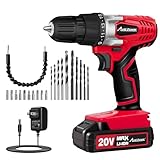


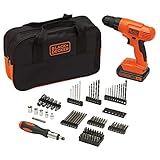


Detailed Product Reviews
Why a Cordless Drill is Your First Homeownership Power Move
The moment you turn that key in your front door, your relationship with your living space changes. Every creaky cabinet hinge, every blank wall begging for art, and every storage solution becomes your responsibility. A cordless drill doesn’t just drive screws—it unlocks autonomy. Unlike corded tools that tether you to outlets and create trip hazards, cordless drills offer freedom of movement from attic to basement without hunting for extension cords. For first-time homeowners juggling mortgage payments and renovation dreams, this single tool delivers the highest ROI in both functionality and confidence-building. You’ll use it for everything from assembling furniture to installing curtain rods, building deck stairs to crafting custom closet organizers. The learning curve is gentle, but the capability ceiling is sky-high.
Decoding Drill Voltage: What Those Numbers Actually Mean
Voltage ratings—typically 12V, 18V, or 20V—are the first numbers you’ll encounter, and they matter more than you might think.
The Sweet Spot for Beginners
For most first-time homeowners, an 18V or 20V platform hits the sweet spot. These drills handle 90% of residential tasks without breaking a sweat. A 12V drill feels lighter and less intimidating but may struggle with drilling through dense materials or driving long lag bolts. Higher voltage means more power, but also more weight and cost.
The 18V vs. 20V Marketing Game
Here’s an industry secret: 18V and 20V Max drills often deliver identical performance. The difference is marketing semantics—manufacturers measure voltage either under load (18V) or at peak charge (20V). Don’t get distracted by the numbers game; focus on the tool’s actual torque and battery platform instead.
Battery Technology: The Heart of Your Cordless Drill
Your drill is only as good as its battery, and modern lithium-ion technology has revolutionized what we expect from cordless tools.
Amp-Hour Ratings Explained
That “Ah” number on batteries—1.5Ah, 2.0Ah, 5.0Ah—indicates capacity, not power. A 5.0Ah battery runs five times longer than a 1.0Ah, but won’t make your drill spin faster. For homeowners, starting with 2.0Ah batteries offers the best balance of runtime and weight.
The Importance of Battery Platform Ecosystems
Smart buyers think beyond the drill. Major brands design batteries that interchange across dozens of tools—saws, sanders, leaf blowers. Investing in a robust battery platform means your first drill purchase becomes the foundation for an entire cordless workshop. Check what other tools share the same battery before committing to a brand.
Understanding Torque and Speed Settings
Torque measures rotational force, and understanding it separates successful projects from stripped screws and damaged materials.
UWO vs. In-Lbs: The Torque Translation
Manufacturers list torque in inch-pounds (in-lbs) or unit watts out (UWO). While UWO accounts for speed and torque together, inch-pounds is more straightforward for beginners. For general home use, look for drills offering 400-650 in-lbs of torque—enough to drive 3-inch screws into studs without bogging down.
Two-Speed Transmission Basics
Most drills feature a mechanical switch: low speed (0-400 RPM) for high-torque driving, high speed (0-1500+ RPM) for fast drilling. Using high speed to drive large screws is like starting a car in fifth gear—you’ll burn out the motor and strip the fastener. Master this switch early, and your drill will last years longer.
Chuck Sizes Explained: 3/8-Inch vs. 1/2-Inch
The chuck is the clamping mechanism that holds your bits, and size matters more than you might expect.
The Practical Difference
A 3/8-inch chuck accepts bits up to 3/8-inch diameter—plenty for most homeowner tasks like drilling pilot holes and driving screws. A 1/2-inch chuck handles larger bits for heavy-duty drilling through thick lumber or masonry. For first-timers, 3/8-inch chucks keep the drill lighter and more compact, while 1/2-inch offers future-proofing if you plan ambitious projects.
Keyless vs. Keyed Chucks
Modern cordless drills universally feature keyless chucks you tighten by hand. Twist the collar clockwise to secure bits, counterclockwise to release. The days of hunting for a lost chuck key are thankfully behind us. Test the chuck in-store—a smooth, firm grip indicates quality machining.
The Brushless Motor Revolution
Brushless motors represent the biggest leap in drill technology in decades, and understanding them helps justify price differences.
How Brushless Motors Work (Simply)
Traditional brushed motors use carbon brushes that physically contact the spinning armature, creating friction, heat, and eventual wear. Brushless motors eliminate these contacts using smart electronics, resulting in cooler operation, 30-50% longer runtime, and virtually maintenance-free performance.
Is the Premium Worth It for Beginners?
For homeowners drilling a few holes on weekends, a quality brushed motor drill serves perfectly well. But brushless technology often includes smarter electronics that protect the tool from overload—a forgiving feature for beginners still learning their limits. The extended battery life alone can justify the $30-50 premium within a year.
Drill vs. Driver vs. Hammer Drill: Which Do You Actually Need?
The tool aisle presents three main categories, and choosing wrong means either overpaying or underpowering.
The Standard Drill/Driver
This hybrid tool drills holes and drives screws—the homeowner’s workhorse. Its clutch disengages the motor when resistance hits a set level, preventing overdriving and stripping. For 95% of first-time buyers, this is the only tool you need.
The Impact Driver: A Specialized Companion
Impact drivers deliver rotational impacts—like tiny hammer blows—to blast through resistance. They’re fantastic for driving long screws and lag bolts but terrible for delicate drilling. Consider adding one later, but don’t make it your first purchase.
The Hammer Drill: Overkill for Most
Hammer drills add a forward-pulsing action for drilling into concrete and masonry. Unless you’re mounting railings to brick or installing basement shelving in cinder block walls, skip this feature. It adds weight, cost, and complexity you won’t use.
Ergonomics and Weight: The Comfort Factor
A drill that feels great in the store can become a wrist-wrecker after an hour of overhead work. Smart ergonomics matter more than raw power for homeowners.
Balance and Grip Design
Hold the drill naturally and notice where the weight sits. A well-balanced tool centers its mass over your hand, not forward in the chuck. Rubber overmolds should feel secure, not sticky. Test the trigger—progressive speed control helps beginners start slowly and prevent bit walking.
Weight Considerations for Extended Use
An 18V drill typically weighs 3.5-4.5 pounds with battery. For assembling furniture or drilling overhead, every ounce matters. If possible, borrow a friend’s drill for a small project before buying. Your forearms will thank you, and you’ll develop preferences you can’t discover in a 30-second store demo.
Clutch Settings Demystified: Preventing Stripped Screws
That numbered collar near the chuck isn’t decorative—it’s your secret weapon for professional results.
How the Clutch Prevents Disaster
The clutch disengages the motor when torque reaches your selected setting. Driving into soft pine? Set it low (1-3) to prevent sinking screw heads too deep. Driving a 3-inch deck screw? Crank it to 15-20. When the drill clicks and stops turning, that’s the clutch protecting your workpiece.
The Drill Symbol Position
Every clutch has a drill icon—usually at the highest number—that locks the clutch for full-power drilling. Never use this position for driving screws unless you enjoy extracting stripped fasteners. Develop the habit of adjusting the clutch for every new material and fastener size.
LED Lights, Belt Hooks, and Smart Features
Modern drills pack conveniences that seem minor until you experience them.
Built-In Illumination
LED lights below the chuck eliminate shadows and let you see what you’re drilling in dark corners or inside cabinets. Look for lights that stay on for a few seconds after releasing the trigger—handy for checking your work without fumbling for a flashlight.
Belt Hooks and Bit Holders
A metal belt clip lets you hang the drill from a tool belt or pocket while grabbing materials. Magnetic bit holders on the tool body keep your most-used bits instantly accessible. These features scream “designed by people who actually use tools.”
Smart Controls and App Connectivity
High-end drills now offer Bluetooth connectivity to track battery life, customize speed settings, or locate a lost tool. For first-timers, this is more novelty than necessity, but it hints at the platform’s sophistication and future-proofing.
Kit vs. Bare Tool: Making the Smart Investment
Online listings often show “bare tool” prices that seem like steals—until you realize they lack batteries and chargers.
What Should Be in Your First Kit?
A proper starter kit includes the drill, one or two batteries, a charger, and a carrying bag or case. Some bundles add a basic bit set. Avoid kits with dozens of cheap accessories; manufacturers use these to mask mediocre drills. Quality over quantity wins every time.
When Bare Tools Make Sense
Buying bare tools only makes sense when you’re already invested in a battery platform. Your second or third tool can be bare, but your first drill must include batteries and charger. Factor this into price comparisons—what looks like a $99 deal is often a $199 kit in disguise.
Budget Realities: What to Expect at Each Price Point
First-time homeowners juggle countless expenses, but skimping on your drill often costs more long-term.
The Under-$100 Tier: Proceed with Caution
Budget drills in this range work for light-duty assembly and occasional use, but often sacrifice battery quality, clutch precision, and durability. The batteries may not be compatible with better tools in the brand’s lineup, trapping you in a dead-end ecosystem.
The $100-$200 Sweet Spot
This is where homeowner-grade excellence lives. You’ll find reliable 18V drills with brushless motors, metal chucks, two batteries, and robust warranties. These drills handle real work and grow with your skills. Most first-time buyers should target this range.
The $200+ Professional Tier
Premium drills offer extreme runtime, advanced electronics, and build quality that survives daily abuse on job sites. While nice to have, this level is overkill for hanging curtains twice a year. Invest here only if you’re planning major renovations or want one tool for life.
Essential Safety Features Every Beginner Should Know
Your first power tool deserves respect, and modern drills include features that protect you from common mistakes.
Electronic Clutch Protection
Quality drills sense when a bit binds and automatically cut power, preventing violent kickback that can sprain wrists. This is especially crucial when drilling large holes in wood where the bit can catch and wrench the drill unexpectedly.
Overload and Thermal Protection
If you push a drill too hard, thermal protection shuts it down before permanent motor damage occurs. Cheaper drills lack this and simply burn out. Check product descriptions for “electronic motor protection”—it’s a hallmark of quality engineering.
Proper Grip and Stance
Always hold the drill with two hands when possible, especially for high-torque applications. Keep your wrist straight and body balanced. If the drill has a side handle, use it for holes larger than 1/2-inch. Your safety is worth the extra ten seconds of setup.
Maintenance Habits That Extend Drill Life
A well-maintained drill lasts decades, not years. These simple habits cost nothing but save everything.
Battery Care Basics
Lithium-ion batteries hate extreme temperatures. Store them indoors, not in a freezing garage or sweltering shed. Don’t leave batteries on chargers indefinitely once full—unplug them. Occasional use is fine; these batteries don’t suffer from memory effects like old NiCad cells.
Chuck and Ventilation Cleaning
Monthly, blow compressed air through the motor vents to clear dust that causes overheating. Wipe the chuck with a dry cloth to remove grit that affects grip. A drop of light machine oil on the chuck threads twice a year keeps it operating smoothly.
Storage Smarts
Store your drill in its case or on a shelf, never tossed in a damp basement corner. Remove the battery for long-term storage. Check the tool monthly during heavy project periods—listen for unusual noises, feel for excessive heat, and address issues before they become failures.
Common First-Time Buyer Mistakes to Avoid
Learning from others’ errors saves money and frustration. These are the pitfalls we see most often.
Mistake #1: Buying Based on Voltage Alone
A cheap 20V drill can be weaker than a quality 12V. Voltage is just one factor; torque, build quality, and battery capacity matter more. Read reviews focusing on real-world performance, not just spec sheets.
Mistake #2: Ignoring the Battery Platform
That obscure brand with the amazing price becomes expensive when you need a circular saw later and can’t share batteries. Stick to major brands with extensive cordless lines—even if you never buy another tool, the resale value is higher.
Mistake #3: Overlooking Weight and Balance
Online shopping makes it easy to ignore ergonomics. Always handle drills in person before buying. A drill that feels good in your hand will get used; a heavy, awkward tool will gather dust while you call a handyman.
Projects to Build Your Confidence
Your new drill becomes more valuable as your skills grow. Start with these beginner-friendly victories.
The Weekend Curtain Rod
Measure twice, drill pilot holes with a small bit, then drive screws using a clutch setting that sinks them just below the surface. Use wall anchors for drywall without studs. Success here builds the confidence to tackle bigger projects.
Custom Closet Shelving
Drill pocket holes to join 1x10 boards into simple shelves. This introduces you to drilling at angles, using spade bits for larger holes, and managing torque settings for structural screws. The result is custom storage at a fraction of retail cost.
Deck Board Replacement
Remove old boards, then pre-drill and drive deck screws. This teaches you about countersinking, working with pressure-treated lumber, and using torque to avoid splitting wood. It’s real carpentry that saves hundreds in contractor fees.
Warranty and Support: What Matters Most
When your drill fails mid-project, generous warranty terms become more valuable than any feature.
Standard Warranty Expectations
Quality homeowner drills carry 2-3 year warranties on the tool and 1-2 years on batteries. Professional lines often offer 3-5 years. Read the fine print—some warranties require online registration within 30 days. Set a reminder to register your tool the day you buy it.
Service Center Networks Matter
A warranty is useless if you must ship your drill cross-country for repair. Brands with local service centers or retail partnerships can swap batteries or tools in-store, getting you back to work the same day. Check service locations before buying, especially if you live in rural areas.
Frequently Asked Questions
What’s the difference between a drill and an impact driver, and which should I buy first?
A drill is a versatile tool that creates holes and drives screws with precision, featuring an adjustable clutch to prevent overdriving. An impact driver specializes in high-torque screw driving, using rapid rotational impacts to power through resistance. For your first purchase, choose a drill/driver—it handles 95% of homeowner tasks. Add an impact driver later when you’re driving hundreds of deck screws or assembling heavy furniture.
How many batteries do I really need?
Two batteries are the practical minimum. While one charges, the other works. This eliminates downtime and the frustration of a dead battery mid-project. Most quality kits include two batteries for this reason. A single-battery kit might save $30 but will cost you more in lost productivity within months.
Can I use my drill to mix paint or mortar?
Technically yes, but it’s a terrible idea. Mixing paddles create immense resistance that can overheat and destroy a standard drill/driver. The side load on the chuck bearings causes premature wear. If you plan to mix materials regularly, buy a dedicated mixing drill with specialty gearing and bearings. For occasional small batches, a cheap corded drill from a garage sale is a better sacrificial tool.
What’s the best way to drill into tile without cracking it?
Use a carbide-tipped masonry bit at low speed with the clutch set to a middle range. Apply gentle, consistent pressure—let the bit do the work. Place masking tape over your mark to prevent the bit from wandering. Keep a spray bottle handy to mist the bit and tile, reducing heat buildup. Never use the hammer function on tile; the pulsations will shatter it.
How long should a quality cordless drill last?
With proper care, a homeowner-grade drill should last 7-10 years of regular use. The batteries typically need replacement every 3-5 years depending on usage and storage. Professional-grade tools often last 15+ years. The most common failure point is the chuck, followed by battery degradation. Regular cleaning and proper storage dramatically extend lifespan.
Is it worth paying extra for a brushless motor?
For most first-time homeowners, yes. The 30-50% improvement in battery runtime means fewer interruptions, and the electronic controls protect the motor from beginner mistakes like binding bits or overloading. The tool runs cooler and quieter. While brushed motors work fine, the brushless premium pays for itself in convenience and longevity within the first year of ownership.
What size drill bits should I buy to start?
Begin with a 21-piece set covering 1/16-inch to 3/8-inch in 1/64-inch increments. Add a set of high-speed steel bits for metal, brad-point bits for clean wood holes, and a set of spade bits from 1/2-inch to 1-inch for larger holes. A 1/4-inch hex driver set with common screwdriving bits completes your starter kit. Quality matters more than quantity—two good bits outperform ten cheap ones.
Why does my drill keep stripping screw heads?
Three culprits: wrong clutch setting (too high), wrong bit (worn or incorrect size), or wrong technique (angling the drill). Set the clutch to a lower number, ensure your bit fully seats in the screw head, and maintain straight, perpendicular pressure. If the screw head strips, stop immediately—continuing just makes extraction harder. Prevention beats repair every time.
Can I leave the battery in the drill when I’m not using it?
For short periods (days), yes. For long-term storage (weeks or months), remove it. Leaving batteries installed can cause slow discharge and potential corrosion on contacts. Store batteries at room temperature, partially charged (around 50%) for optimal lifespan. Never store them in the charger once fully charged, and definitely not in direct sunlight or freezing conditions.
What’s the most important feature to look for as a total beginner?
Prioritize an intuitive, adjustable clutch with clear markings. This single feature prevents 90% of beginner mistakes—stripped screws, damaged materials, and broken bits. A drill with a smooth, progressive trigger and comfortable grip comes second. Power and voltage matter less than control when you’re learning. A forgiving tool builds skills faster than a powerful but unforgiving one.
See Also
- The Complete Guide to the 10 Best Cordless Drills for Homeowners
- 10 Cordless Drill Driver Recommendations for First-Time Buyers in 2026
- 10 Cordless Drill Recommendations for First-Time Tool Buyers in 2026
- 10 Cordless Drill Recommendations for First-Time Users in 2026
- 10 Brushless Motor Cordless Drills That Outlast Brushed Models in 2026—Lab-Tested